My Digital Agency Experience

Recently, some of my friends have started discussing the idea of opening a digital agency. About 10 to 15 years ago, I ran my own digital agency, but it wasn't successful, and I had to close it down. Nevertheless, I gained valuable experience during that time. I've decided to share the lessons I learned from the challenges I faced.

My Journey

I was trying to offer everything — website creation, SEO, technical work — without fully understanding what clients actually needed. But clients don't just want a website or SEO; they want to sell more and grow their business.
Clients often come to you wanting their problems solved, not just a product. Successful agencies build their offers around solving those real problems, not just providing tools.

I also realised that I could serve as a subcontractor for other digital agencies that excelled in holistic marketing solutions. I worked with several talented agencies that provided comprehensive services, including marketing strategies, SEO, and various forms of advertising. I focused solely on technical aspects and operated as a sub-agency. In this scenario, if a client paid 100,000 euros for these services, the agency might take around 20% as profit, leaving 80% for subcontractors like me. However, my earnings were typically around 20% of the total, while I was implementing 80% of the requirements.

Finally, I put all my agency resources into one customer who went bankrupt in 2014. I became bankrupt as well.

However, there are some observations that I noticed.

Know Your Competence, Industry, and Focus

In my opinion, one of the most important things in running an agency is to clearly understand your competence, the industry you want to work in, and your focus. You should offer only the services that you can truly do the best. If you know how to build mobile apps, don't even start working on SAP integrations. You'll probably lose your reputation and money. On a high level, everything looks the same, but your customer needs you because they need a professional in the details. Especially in the vibe-coding era, everybody can vibe-code a solution, but in the details, it would not be the thing that the customer needs.

Customers Don't Know Their Real Needs

It's important to remember that customers often face many challenges and may not fully understand how to address their problems. For instance, if someone who usually travels by train needs to get from point A to point B, they are likely accustomed to taking the train, even if it requires three stopovers, without even thinking to check for a direct bus. I made the mistake of not understanding the real need. I would sell three train tickets instead of realising they needed a bus and selling a bus ticket.

Observing Successful Agencies

While running my agency, I worked with and observed other digital agencies that were much more successful.

Some agencies specialised in just a few industries — for example, they only worked with car dealers, banks, or real estate companies. That narrow focus helped them understand their clients' needs much better. They could speak the same business language and deliver tailored solutions.

Others specialised not by industry, but by service area — some focused purely on marketing and lead generation, others built marketplaces or integrations. The key was always the same: they didn't try to do everything. They stayed within their zone of expertise.

Furthermore, some agencies concentrated on specific segments. They might focus solely on marketing, building particular types of websites, developing marketplaces, or providing integration services. It's not just about which industry to target but also about identifying a niche within the competitive landscape that aligns with your strengths.

So, focus on offering clients only the services you can deliver effectively.

Of course, there are exceptions; larger agencies like Ajima or Lebedev can work across multiple sectors due to their vast resources. However, for smaller agencies without significant staff and budgets, this approach can be challenging.

Focus and Specialisation Are Everything

Looking back, I can say that focus and specialisation play a crucial role in success. Whether it's choosing the right industry or sticking to the kind of services your team does best, narrowing your scope helps you stand out and deliver real value.

If I could give just one piece of advice to anyone starting their agency, it would be this: know your strengths, pick your focus, and build around it.
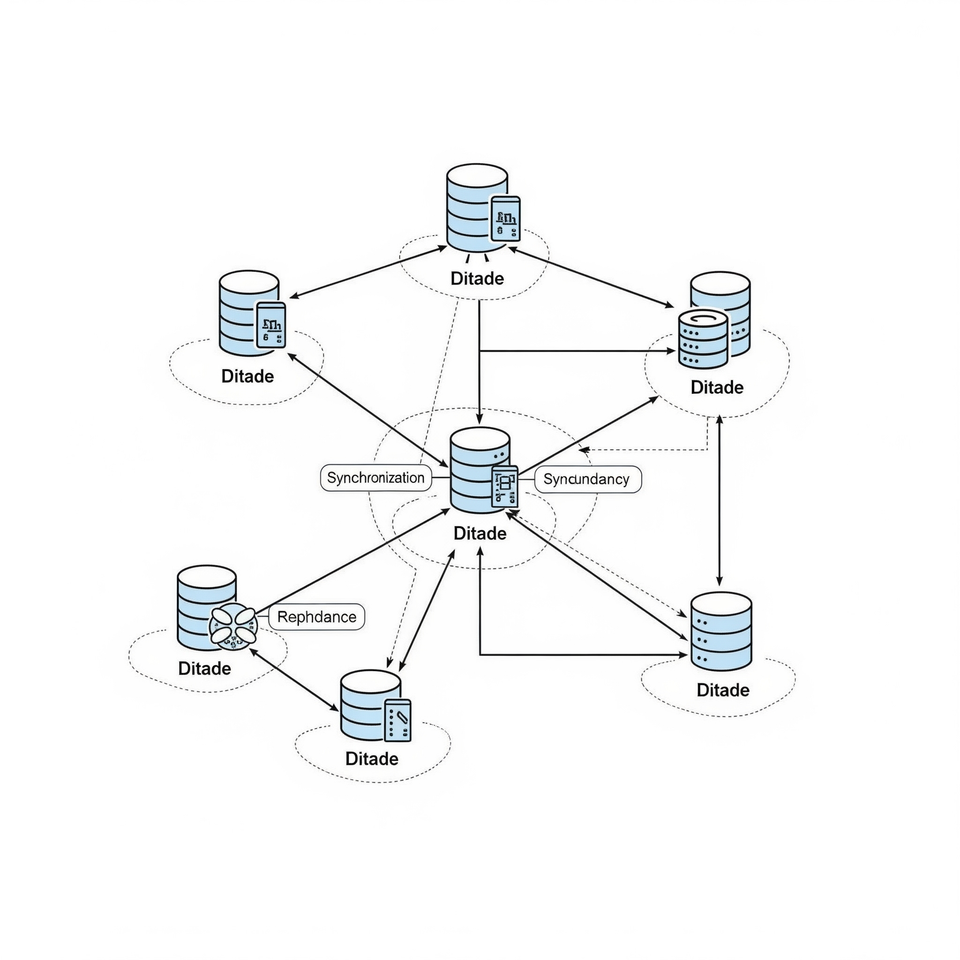
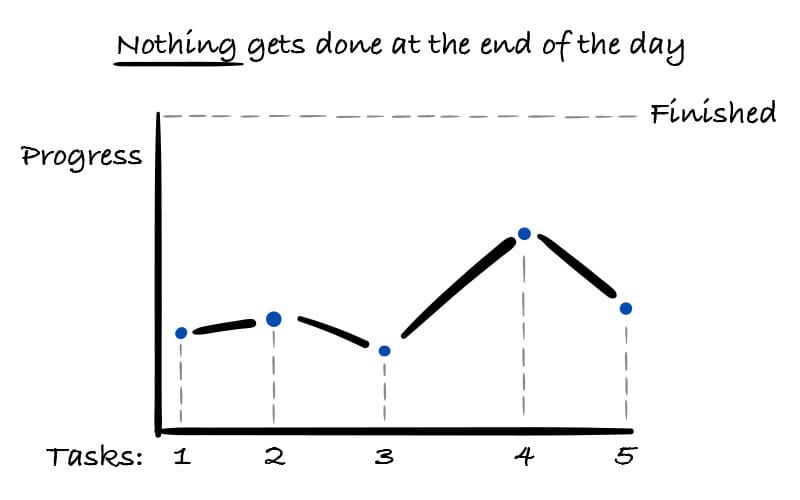
Distributed Databases in 5 mins

Distributed databases are powerful data management systems that distribute data across multiple locations.

Main Features

  • Transparency: Users do not need to know where data is stored, as the system conceals this detail.
  • Fault Tolerance: The system continues to function even when some components fail by creating copies of the data for protection.
  • Concurrency: Multiple transactions can be executed simultaneously without conflicts.
  • Scalability: The system can easily expand to handle increased data and user loads by adding more resources.

Primary Types of Scalability

  • Horizontal Scalability: Adding more servers or nodes to distribute the workload.
  • Vertical Scalability: Upgrading existing hardware, such as increasing memory or processing power.

Benefits of Distributed Databases

  • High Availability: Data replication ensures that systems remain operational despite node failures.
  • Improved Performance: Storing data closer to users reduces latency.
  • Geographic Distribution: Data is located near users to minimize delays.
  • Load Balancing: Distributing the workload evenly prevents bottlenecks.

Challenges in Distributed Databases

  • Consistency: Keeping data copies synchronized can be challenging during high traffic or network issues.
  • Network Latency: Communication delays can slow down transactions.
  • Fault Detection and Recovery: Identifying and recovering from node failures requires advanced techniques.
  • Complexity: Managing a distributed system is more complex than handling a centralized database.

Types of Partitioning

Horizontal Partitioning

This method groups rows based on specific criteria, such as date ranges or geographic regions. It helps speed up queries by dividing rows into smaller, manageable parts, all maintaining the same column structure.

Use Case: In a retail database, customer orders can be stored in separate tables based on geographic regions, such as North, South, East, and West, to improve query performance and manageability of regional data.

Vertical Partitioning

This method divides a table into smaller tables based on columns instead of rows. Each smaller table holds a set of columns that are often used together, thereby improving query efficiency by reducing the number of columns accessed.

Use Case: In a customer database, separate contact information (name, phone, email) into one table for frequent access while storing detailed billing or sensitive data in another table to enhance query efficiency and ensure data security.

Sharding in Databases

Sharding involves splitting a large database into smaller, independent parts called shards. Each shard is a separate database containing a subset of the data.

Benefits

    • Improved Performance: Faster query execution by accessing only the relevant shards.
    • Horizontal Scalability: Easily add or remove shards to accommodate data growth.
    • High Availability: A failure in one shard does not affect the others.
    • Efficient Resource Utilization: Workload distribution across multiple servers.

How It Works

Data is distributed based on a sharding key. Each shard manages a specific subset of data, and the system routes queries to the appropriate shard(s) using the sharding key.

Key Characteristics

    • Independent Shards: Each shard has its own data and resources.
    • Scalability: Shards can be dynamically added or removed.
    • Distributed Queries: Routing is based on the sharding key.
    • Fault Tolerance: Isolated failure risks, allowing each shard to have its own failover strategy.

Choosing a Sharding Key

When selecting a sharding key, it should:

  • Distribute data evenly to prevent hotspots.
  • Support common query patterns for efficient routing.
  • Minimize the need for rebalancing or data movement.

Examples of Sharding Keys:

  • RegionCode — to divide data by geographic regions.
  • DeviceID — in IoT applications to separate device-specific data.
  • Date — useful for handling records that are time-sensitive.
  • ProductCategory — in inventory management systems to categorize products effectively.

Distributed Query Processing

The process where queries are executed across multiple nodes, fetching, aggregating, and combining data to provide a unified result.

Goals:

  • Minimize data transfer between nodes
  • Optimize query speed through parallel processing
  • Ensure data consistency and correctness

Challenges:

  • Data localization and selection of appropriate nodes
  • Network latency and the associated data transfer costs
  • Complex query optimization processes
  • Issues related to fault tolerance and data consistency

Key Steps

  1. Parsing & Validation — check the query's syntax and identify where the data is located.
  2. Decomposition — break down the query into sub-queries that can be handled by specific nodes.
  3. Optimization — select the most efficient execution plan.
  4. Execution — execute the sub-queries on their respective nodes.
  5. Aggregation — merge the results to produce the final output.

Techniques

  • Query Fragmentation — break a large query into smaller parts to run in parallel, reducing execution time.
  • Push-Down Predicates — apply filters close to the data source to minimize network data transfer.
  • Local Joins — perform joins on the same node to avoid data transfer and lower latency.
  • Distributed Joins — execute joins across multiple nodes, transferring only necessary data.
  • Data Sharding — distribute data across nodes to reduce cross-node queries and improve access speed.
  • Caching — store frequently used results locally to avoid repeating expensive computations.

Example

Consider a global retail chain with a distributed database containing data across multiple servers:

  • Server 1: Holds sales data for North America.
  • Server 2: Contains sales data for Europe.

Query:

"Find the total sales amount for electronics in July 2023."

Using Techniques:

  • Query Fragmentation: Split the query into two parts: retrieve July electronics sales from North America and Europe separately.
  • Push-Down Predicates: Filter for "electronics" and "July 2023" as early as possible for each data shard.
  • Local Joins: Join data with product categories on the same server if required.
  • Data Sharding: The data is already organized by regions, which minimizes cross-region data transfers.
  • Caching: Store recent sales summaries to swiftly respond to similar future queries.

This approach effectively reduces data transfer, accelerates processing, and aggregates total sales data across regions efficiently.

Testcontainers with Podman in Golang

Recently I was working with integration tests in a small project written in Golang. The crucial part of the project is working with a database. The best option to check if service works correctly woth a database is run real database and check changes. Golang has amazing SDK to work with testcontainers. Especially for PostgresSQL I prefer to use the wrapper: https://testcontainers.com/modules/postgresql/?language=go

Because of some policies in my organisastion., I'm not allowd to use docker on a laptop. I use podman. However, testconainers work differently with podman, because in the code testconainers try to communicate with /var/run/docker.sock, that doesn't exists in podman.

It chooses provider based on an environment variable here: https://github.com/testcontainers/testcontainers-go/blob/9b60a589a10ba2842b99393f3ad0b97b055b6785/provider.go#L108

Podman needs some adjustments to work correctly with testcontainers.

https://podman-desktop.io/tutorial/testcontainers-with-podman https://podman-desktop.io/docs/migrating-from-docker/managing-docker-compatibility

The most important is export TESTCONTAINERS_RYUK_DISABLED=true

Re-arrange schedule to improve performance

A retrospective analysis showed numerous complaints from the team regarding meetings.

To better understand the situation, I asked my teammates to provide their calendars from the past month so I could analyze the frequency of developer meetings. So, I notice, that:

  • As is often the case in large corporations, there are a lot of meetings that are not mandatory, and developers express little interest in attending them.
  • Colleagues from other teams frequently scheduled instant meetings to discuss topics that did not appear urgent.
  • The schedule on certain days resembled a zebra - one hour meeting, one hour of free time, one hour meeting again. This practice impedes productivity by causing frequent context switching.

To resolve the complain, we decided to implement the “No Meetings Afternoon“ rule. This required some adjustments:

  • If a developer receives an invitation for a “boring corporate meeting” and wishes to skip it, they can ask me, their manager, for approval. In most cases, it is granted immediately.
  • We informed all teams and stakeholders about this rule. If anyone insists on scheduling a meeting in the afternoon, they should discuss it with me first to prioritize the meeting’s importance and determine if it truly requires scheduling at the proposed time box.

The first weeks of enforcing this rule were challenging. We worked to teach teammates to adhere to it and negotiated with external teams to reschedule meetings.

However, over time, our developers haven’t complained about their meeting schedule, and their performance has improved according to their feedback.

When you are stuck, do you ask for help?

Let's continue with questions that I heard during interviews about the engineering manager role.

When you are stuck, do you ask for help? Think about examples from your previous experience

I adapt to the processes and requirements set by my manager. However, I prefer to keep my manager updated on my work and highlight any potential obstacles I encounter. I also value feedback on my decisions.

Example #1

My team launched a new product that is part of an ETL system. Our data supplier constantly sent us incorrect data. I held several meetings with the partner to solve this issue.
During this time, I kept my managers informed. When I felt stuck, I asked my manager to assist with negotiations. He was well-prepared and suggested including certain people in the escalation process.

Example #2

Recently, I worked with an overperforming employee, which was new for me. The guy was working 24/7 and showed exceptional results on the short-term distance. However, I was worried about long-term distance. I created a plan for a one-on-one meeting with the developer and we discussed it together. After that, I asked my manager for advice on the plan and the outcome of the meeting.